

The cd command in Linux is one of the most commonly used commands. It allows users to navigate between directories in the file system.
In this guide, you’ll learn everything about the cd command with practical examples.
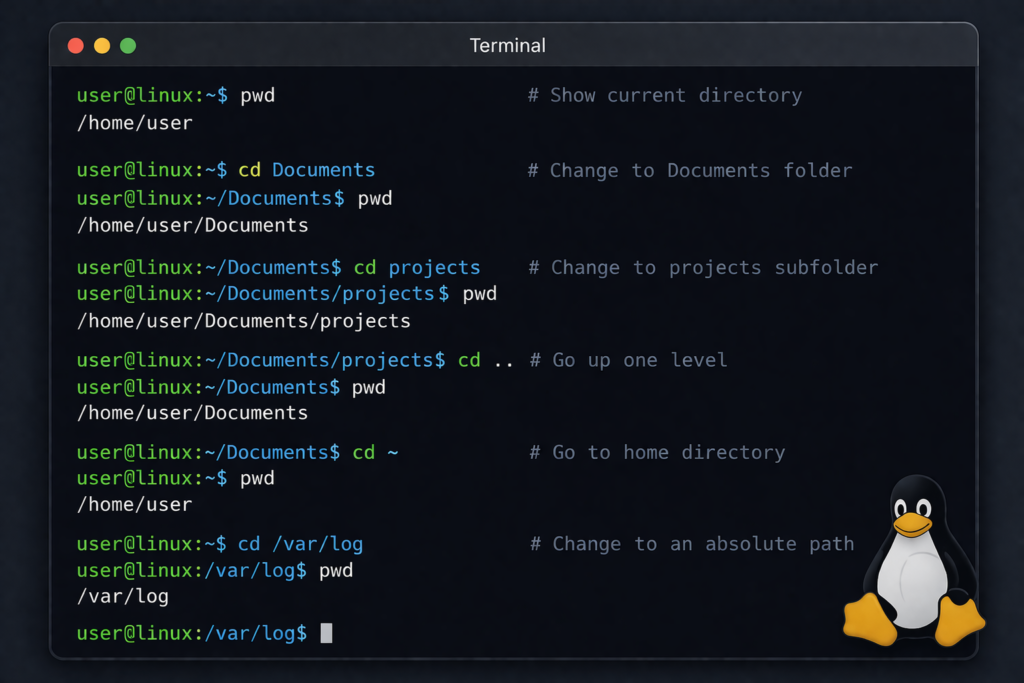
What is the cd Command in Linux?
The cd command stands for “change directory”. It is used to move from one directory to another in the Linux terminal.
Basic Syntax
cd [directory]Common cd Command Linux Examples
1. Go to Home Directory
cdor
cd ~2. Change to a Specific Directory
cd /home/user/Documents3. Move One Directory Up
cd ..4. Move Two Directories Up
cd ../..5. Go to Previous Directory
cd -6. Use Absolute Path
cd /var/log7. Use Relative Path
cd projectsTips for Using cd Command Linux
- Use Tab for auto-completion
- Combine with ls command to view contents
- Avoid spaces or use quotes
Common Mistakes
- Typing wrong directory name
- Not using correct path
- Permission issues
cd Command vs ls Command
While cd is used to change directories, ls command is used to list directory contents.
👉 Read also: /ls-command-linux/
Complete Linux Commands List
If you want to learn more Linux commands, check this full guide:
👉 /top-120-linux-commands-for-linux-administrators/
Conclusion
The cd command is essential for navigating the Linux file system. Mastering it will significantly improve your efficiency in the terminal.